Showing posts with label resources. Show all posts

Sunday, May 18, 2014

Where to Find Freelance Photo Work

In 2011, I was preparing for a year of traveling around the world and taking a sabbatical from the demands of my wedding photo business for a while.  Since I had to stop taking wedding clients 12 months in advance of traveling, I also had to create a plan to help me live a more freedom-based lifestyle while still being a photographer with professional recurring bills to take care of.

At first I was terrified to give up my security blanket of wedding clients who always planned well in advance, rarely ever cancelled their shoot, and were a very predictable source of income, however, after I'd paid off enough debt and saved up enough money, I had a little more courage to take some leaps of faith and try a more fly-by-the-seat-of-my-pants style of booking and serving clients.  What I ended up finding was how much I really enjoyed short-assignment and easy-for-me work that I could pick up on the fly and turn-around in less than a week.

Disclaimer: if a lack of security or routine throws you into a stress ball of unhappiness, this may not be the road for you to travel, but it can be a chance to pick up some side jobs in your free time.  However, if you're zen like a surfer riding a tsunami, than the freelance lifestyle will actually serve you far better than a more predictable routine-and-commitment based type of work.

Bonus Tip: if you're overworked, these can also be great resources to find your ideal virtual assistant, retoucher, white-balancer, graphic designer, web coder, video editor, and more!

Craigslist

The most obvious and freely available resource for finding wanted requests as well as promoting your creative services is by far, the Craigslist job boards (mostly in the United States).  People get used to using the site for all sorts of things like apartments, furniture, tickets, etc, and because the board is so vast, they just use it to look for everything else they need as well.  The really nice thing about Craigslist for an in-person service business is that it's locally focused, so you're most likely to get local leads that are easy to serve rather than national or international leads.  Granted, there are a lot of people out there giving their work away, but that doesn't mean that a buyer can't recognize the difference and value of hiring a professional.

Thumbtack

This service has only emerged in the online marketplace in the last couple years, but has aimed to streamline the process of finding LOCAL creatives and services by allow people to create a posting with some guidelines for their request and a local area that they want to be served in and then the first 5 bids to respond are shown to the client.  This really streamlines the process for the person who's making the request so that they aren't overwhelmed with bids that are outside of their budget or from people who are unavailable.  It makes the process for service providers easy so that they only need to respond to a request if they have the time available to take the client.  It's free to create an account, but there is a small charge for each request you bid on.

Elance

One of the first and still most popular places really dedicated to connecting creatives with job opportunities.  Client billing and payment is managed entirely through the site, so if you need help with contracts or billing, they can help streamline that process for you.  You search for projects that fit your skills when you have time to apply, you make bids, and you're either accepted or not, but I believe the Elance cut is taken only when you're hired and paid through their system.

ODesk

Very similar to Elance, but also provides public profiles so that clients can seek you out directly by searching for available help rather than being directed to posting a job first and getting whatever comes in.  This freelancing article on FreshBooks shares some of the pros and cons of these similar systems.

The Creative Loft

Rather than a service that collects a commission or fees for transactions, this is a membership-based service for access to creating a profile and/or a listing for requests.  It seems to focus more on the community aspect of working as a freelancer, by providing forums and message boards for creatives to connect more easily and share.

Guru

This may be more ideal for commercial or studio work in which a product that needs to be photographed for a website can be shipped to the photographer.  Because the site doesn't easily filter by location, it's more ideal for someone who can provide their services virtually.

People Per Hour

Also ideal for people who prefer to work virtually, but this allows you to define a specific task that you're willing to perform at a very specific rate so that clients can hand-pick from services and prices like they would if they were in a grocery store.  There's also a bidding process that can help streamline inquiries, but they seem to do a great job of making the resource easy and user friendly.

Disclaimer:
Because I tend to stay busy on referrals alone, I've only tried two of the services above, the rest are things I found when I was looking for extra assignments to take on, so I'd love to hear about your experiences.  I used Craigslist while I was building my business from the ground up almost 10 years ago, but haven't used it for photo assignments since then.  I signed up for Thumbtack recently after moving to NYC, and there are many requests that come in too low or too far away for me to serve them professionally, however, there are a few gems in the rough and on a rare occasion I do actually respond to a request if it looks like it will fit my working style and schedule.

Are there other services or sites that you've tried and had success with?  Please share your experiences and thoughts in the comments.


Anne Ruthmann is an lifestyle & event photographer in New York City. She spent 10 years practicing marketing & management in corporate and non-profit businesses before pursuing her passion for photography in 2004 as an independent small business. She loves helping others find creative and smarter solutions to small business problems. Stay in touch on Twitter or Facebook.

Tuesday, April 15, 2014

Pricing Help for Photographers & Freelancers

Pricing is often one of the factors in a creative business that seems difficult for many people to work through, but we've spent a lot of time writing about the how and why of pricing over the last few years.  Here's a resource page of our posts on the topic of pricing your services and your work....


Hidden Costs & Pricing Factors

Why It's Hard to Talk Pricing Publicly
The things no one can tell you when you ask for pricing help in online groups.

How Much Does Each Click Cost?
Should you buy new equipment or rent new equipment?  Check this out to find out what might work best for your situation.

Photography Overhead Costs (or Why Photography is Expensive)
Learn more about the hidden costs of professional photography services.

How Much Do You Need To Make?
Determining your service rates based on your income goals.

How $60,000 Revenue = $30,000 Income
Understanding how revenue and income are different, and how to plan ahead.

Budgeting for Equipment Replacements
One of the hidden overhead costs of digital creative work is replacing equipment regularly.

Why $300 Should Be a Professional Photography Minimum
Can you do a professional job no matter what happens?  Only if your price can handle it!

Charging Travel Fees for Destination Clients
What to prepare for in your budget for travel fees.

Formulas for Pricing Products & Services
A detailed explanation of pricing products and services in a creative freelance business.


Presenting Your Pricing Online

Why Hiding Pricing Only Hurts You
The drawbacks of being secretive about your pricing online.

Pricing Critique Webinar - Best Pricing Page Practices
How you present your prices can be just as important as what your prices are.  This post shares best pricing page practices.

On Sharing Pricing Up Front
How to win over clients with up front pricing.

Incentivize vs. Penalize
How the language used in presenting options affects buyers.

How to Quote a Job Price Without Project Details
How to manage a client that doesn't know the scope of the project yet but still needs a budget quote.

Psychology of Pricing
Does your pricing strategy match the clients you want to work with?  A checklist of things to think through and apply to your pricing methods.

Price Matters, Price Always Matters
Thinking like a client about online purchasing.

How to Announce Price Increases
Moving up the pricing scale without scaring recurring clients.


Quality Vs. Quantity

Quick Thoughts on Buyer Behavior
The difference between price shoppers and quality buyers.

Adding Value Into Pricing
How you describe your prices and packages may add more value without more items.

How Many Clients Do You Need?
More clients may mean more work but less profit if not considered carefully.

Things We Can Learn From Apple
How having a premium product can be a better position than a bargain product.

When Potential Clients Say You Charge Too Much
Are they trying to get a discount, or is it really not in their budget?  These subtle differences help you know if they're worth working with or passing on, as well as if you need to step up your quality.

How to Respond When A Client Says "Too Much!"
How to respond to clients who experience sticker shock on product prices after you've already shared their images with them.

3 Responses to Low Budget Requests
How to turn a budget client into a potentially higher paying client.

Standing Behind Our Value
When to hold and when to fold.

Stop Being Taken Advantage of by Demanding Clients
How to prevent clients trying to take your work beyond scope without paying for it.

Thursday, March 20, 2014

Free Website Tests You Can Do Right Now

We've hosted several free website critique webinars on PhotoLovecat.com, based on the best practices that we've identified in our industry and across websites in general.  Since we don't have the time to test everyone's websites, here are some resources to help you get feedback on your own website right now!

UserTesting - Peek
http://peek.usertesting.com
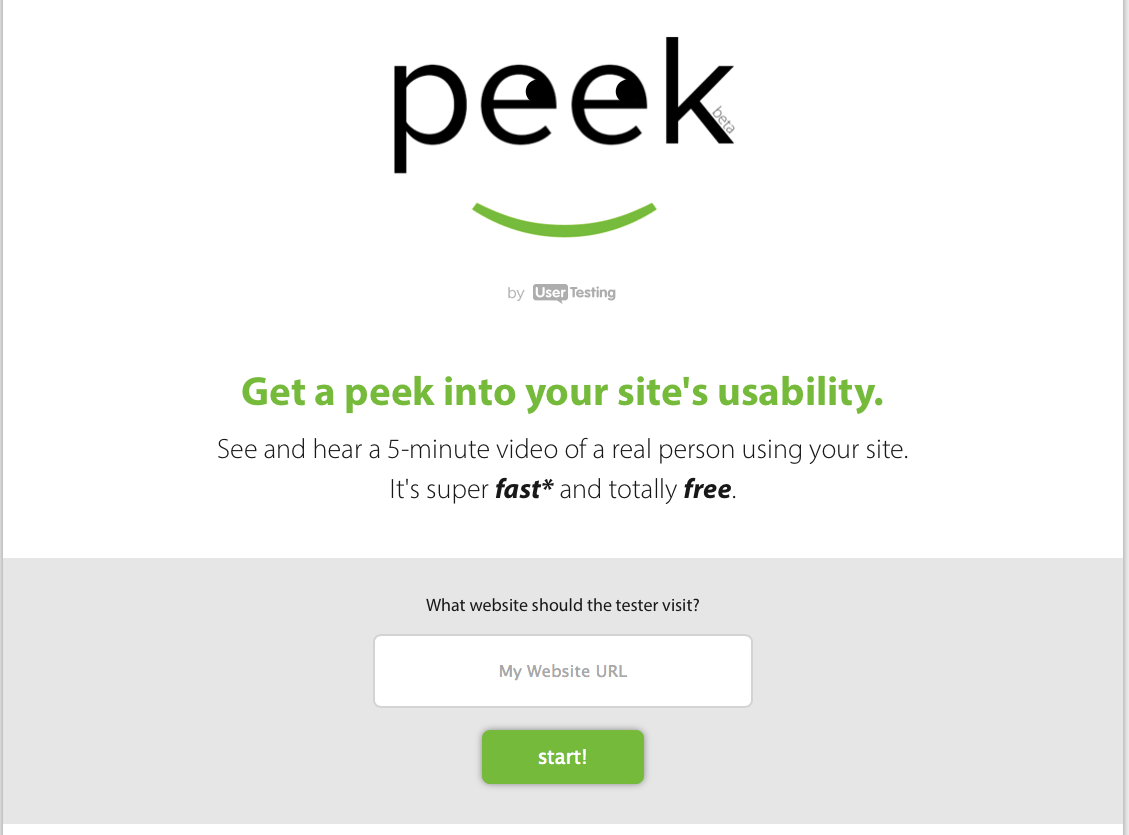
UserTesting offers a free "peek" of their services in a 5 minute recorded video of a user clicking around your specified website and sharing what they love and don't love about how your site navigates as well as the information available on it.  This is a great way to see how an objective general user interacts with your navigation menus, contact form, and online content so that you can see what fixes you might be able to address in order to improve your website for visitors.
peek usertesting


HubSpot - Marketing Grader
https://marketing.grader.com
HubSpot is one of my favorite free services for analyzing your site's inbound marketing strategies with SEO, Lead Generation links, Social Media reach, and other online markers of presence and accessibility.  The software is fully automated, so it's less high-touch, but it approaches your website from a similar perspective as a content web crawler like Google would. This is a great way to see what social media and marketing strategies you aren't currently implementing that you can improve upon.


Pingdom - Speed Test
http://tools.pingdom.com
Pingdom focuses on improving website speeds by identifying slow loading materials on a page as well as what loads first and last.  One of the factors in how your website ranks in search results is how fast your content can make it to the search engines, so running a speed test can help you identify the images or code that need to be cleaned up for faster loading.  Pingdom also gives you a sample of how your website stacks up against other sites that are being compared so that you know where you stand in loading times.

Try each test now and see what you can work on!  Have you seen any other awesome website tests people should run their website through?  Share in the comments!


Anne Ruthmann is an editorial & event photographer in New York City. She spent 10 years practicing marketing & management in corporate and non-profit businesses before pursuing her passion for photography in 2004 as an independent small business.  She loves helping others find creative and smart solutions to business problems.  Stay in touch on Twitter or Facebook.

Saturday, March 26, 2011

What kind of Business Do You Need? LLC, Sole-Proprieter, Inc?

When I saw this easy to understand info-graphic, I just had to share here. Click to see the original source.

Tuesday, March 1, 2011

Don't Hate the Player, Hate the Game

Over the weekend I noticed a dramatic increase in the amount of facebook freakouts over gas prices. What do people expect? It's a LIMITED resource and there's no where for costs to go but up- that's just basic economics- and yet people continue to be blissfully ignorant that their own reliance on this non-renewable resource is the REAL problem.

I've seen people suggest not buying gas for a day, or not buying gas from certain companies, but that's not going to solve the problem-

It will only hurt the small business owner trying to make a living and provide for their family.

Those small business owners are your clients- do you really want to hurt them?

If true change is to happen, it needs to start with people getting out of the gasoline game all together. By reducing our individual usage of non-renewables, we create less demand, and large companies are forced to invest new sources of energy which are both renewable and sustainable. The fact is, most of the big energy companies already know how limited their supply is and they're getting desperate to keep providing in a profitable way in order to tide over the general population until the demand decreases. One way to force people to move more quickly is to make the current supply much more expensive to access. In the meantime, profits may soar, but demand will decrease, and people will get angry that they have to change their ways. The oil companies are not the problem- they are merely creating supply for the market demands. The people creating demand are the problem. We live in a society in which we can vote with our demand and our money-

If you want to see change, you need to be a part of the solution.


To be part of the solution, you need to educate yourself on the alternatives available to use in your home and business life. Some people don't even know where they are currently contributing to the problem outside of the gas pump- which is just one small part of the oil equation. Here are some great resources to help you understand your alternative options:
• Greenpeace: 10 simple ways to use less oil
• Matador: 50 ways to use less oil
• EIA: Renewable & Alternative Fuel Options

Anne Ruthmann is a lifestyle & wedding photographer from Boston, MA. She spent 10 years practicing marketing & management in corporate and non-profit businesses before pursuing her passion for photography as an independent small business. She loves helping others find creative and low-cost solutions to business problems. Follow her on Twitter to see her daily adventures and thoughts.

Tuesday, January 5, 2010

How to Find Free Local Professional Photo Resources

When I was starting out, I remember how difficult it was to find local resources, which is why I relied so heavily on online forums. It wasn't always easy to find local photographers to shoot with because all of the professional resources seemed to be secret or hidden from public view. While that's a great thing for professionals who need a private place to share, it also makes it a little more difficult to find a local mentor to work with. So, here are some ways to learn more about the local resources in your area:

Local Camera Gear Shop
Even if you live in a small town where there isn't a professional gear shop, your local camera shop will likely have the names of a few photographers in town, know what kind of work they do, and can give you an idea if those professionals are open to mentoring others. Local camera shops are also a great resource for finding out if there are any workshops or classes locally available (since they may provide supplies for them) so don't hesitate to get on their mailing list. If they don't provide high end photography equipment, ask them what the next closest place would be to find professional gear. There's a very good chance they know who keeps the professional equipment in house.

Local College
Even if you don't have a full-out photo school nearby, your closest college probably has a photography department or instructor of some kind. Teachers are often natural born helpers, so they can be a great resource when it comes to finding assistants or finding someone who is willing to take on an assistant. While photography in school is most often dedicated to fine art, it's still great to get out and see the work that today's photo students are creating in order to keep up with what is influencing the minds of the future.

Local Photography Groups
These are often a little more difficult to find, but if you've talked to someone in the area who knows a lot of photographers, they should be able to point you to at least one local photography group. Often times you'll find local groups listed on Flickr.com, Meetup.com, Yahoo Groups, etc. There are also several professional labs that provide free local workshops and opportunities to meet other photographers, such as Pictage PUGs (I currently host the Boston, MA one) and newly forming Smugs.

Getting to know my local photography peers has been one of the greatest assets to my business because individually we may not know everything, but collectively we can figure out anything! While online forums are excellent for learning at your own pace and getting lots of feedback, having a local offline network of support may be the only thing that can save you in a pinch when you need it most!

(This article was also shared on Photo.net where you might find more responses to this topic.)

Anne Ruthmann is a lifestyle & wedding photographer from Boston, MA. She spent 10 years practicing marketing & management in corporate and non-profit businesses before pursuing her passion for photography as an independent small business. She loves helping others find creative and low-cost solutions to business problems. Follow her on Twitter to see her daily adventures and thoughts.

Sunday, January 11, 2009

Great Photographer Resources

We have a running list on the right side of this blog with great photography resources when we find them, but if you see this blog in a feed reader or via email, than you probably haven't checked them out lately! We add new links from time to time when we find valuable resources. Because we volunteer our time and information on this blog (we aren't paid for our contributions) it also means that no one pays to be a part of our links, which allows us to share the things we love and not just things which pay to appear on our page. So, if you're looking for some good information, feel free to check out these links:

We also previously published a list of entirely free online resources, which you can find here:
http://photolovecat.blogspot.com/2007/02/free-online-resources.html

Are there any resources you think we've missed?

Anne Ruthmann is a lifestyle & wedding photographer from Boston, MA. She spent 10 years in the corporate & non-profit world before pursuing her passion for photography. When not behind the computer or camera, she can be found exploring the world with her husband. Follow her on Twitter.

Monday, December 8, 2008

Environmentally Friendly Business Practices

As many of you may know, I'm very dedicated to being a greener photographer and business owner. Here are some of the methods and products that have helped make my business greener:

- Home Office
As primarily a wedding photographer, most of my shooting is done on-location. While having a separate studio and meeting space is very glamorous for the business brand, I just don't find it to be a very energy efficient way to run my business. I do have a dedicated office space in my home in where I can meet clients and even shoot stock or portrait work with a backdrop if I'd like. We chose a downtown loft-style location which is overall more efficient than a traditional home due to shared energy and resources use among the community within the building, and the downtown location makes it easy to walk or take public transportation to pretty much anything I need.

- Natural Light
When searching for a place to live and work, I made sure to select a location with plenty of natural light in order to avoid using additional energy during the day. Perhaps if you work from your basement or an interior room in your home, you can consider switching rooms with another location in your home which offers an opportunity to save more on energy usage. Natural light also extends to the times and location in which I choose to shoot as well as a preference toward using reflectors over battery powered strobes. I tend to utilize natural light as much as possible in my images so that I don't have to use extra energy to charge large portable battery systems. Obviously your work will have a very natural look to it without the use of additional artificial light, but that's part of what helps to define a style.

- Virtual Meetings
I try to encourage clients to "meet" me over the phone or via web chat (iChat, AIM, Skype, GoogleChat) as much as possible. If they insist on meeting in person, I try to combine my meeting with them in a location that is mutually convenient and can combine the use of public transportation or mutl-tasking with other meetings I might need to have that day. Sometimes this means having them come to me, sometimes it means meeting somewhere in the middle, and sometimes its meeting at my hotel room in whatever city I happen to be in at that time. The key idea is to use as little energy on both ends as possible while still being accommodating to the client. If I must travel by car, I rely on fuel-efficient vehicles.

- Laptop versus Desktop
I used to work from a desktop 90% of the time because I found it to have the most consistent color accuracy. Since getting a MacBookPro, I've noticed there's a much better consistency in screen color rendition and I can actually calibrate the laptop monitor, which has not always been possible with past laptops. Working from a laptop not only allows for more portability but also for better energy efficiency because I can rely on a rechargeable battery versus constantly being "plugged-in". To help save even more power on my laptop, I reduce the brightness of the screen to match the brightness of my environment which also saves additional strain on my eyes.

- USB External Drives
Most of my works in progress are stored on USB powered external drives (my favorite is the Western Digital Passport 320 GB USB 2.0 Portable Hard Drive). This allows me to only use power to access the data when I'm actually using it. When the data is not in use, it's disconnected and not utilizing wasted energy as some larger external hard drives do. And now that USB 2.0 has pretty much exceeded the transfer times of most firewire capabilities, there's little to no lag time in accessing and transferring data.

- Electronic Documents & Media
There's very little need to do anything on paper anymore. Contracts can be produced and signed electronically. Faxes can be sent and received via email. Receipts can be sent and received via email. Price lists and product brochures can be created and sent electronically. Membership numbers can be stored digitally on your handheld device. Notes can be transcribed from voice messages and recorded into emails. Audiobooks can be downloaded directly to your computer or mp3 device. Magazines and newspapers can be subscribed to electronically. Billing statements from vendors, bank accounts, and credit cards can all be received electronically now. Really, I just don't see the need for a paper lifestyle anymore unless you have an accountant who insists on having paper records of everything (even though it's just as easy to keep a CD or DVD backup of all your electronic receipts and records for the year- in which case, I'd say- get a new accountant.) In order to make signing electronic documents and contracts a breeze, I keep a digital copy of my signature on hand which can be dropped into any document using Photoshop so that there's no need for printing and scanning a document.

- Public Resources
When I'm interested in a new book, I always check my public library first to see if they have it. If they don't have it and I absolutely must read it right away (which is rare) I'll purchase the book and then donate it to the library so that someone else can benefit from it being a public resource. When I need business or legal forms, I always check the library rather than going out and buying a book that might be full of forms I don't need. Most libraries are connected to a large network of resources not normally available to individuals and librarians can be the most efficient way to access exactly what you're looking for- and often times they can provide you with an electronic resource which allows you to only download the forms you absolutely need.

- Electronic Banking
Did you know that there are banks which will allow you to scan checks and deposit them online instead of mailing them or taking them to the bank? Your bank might even offer it and all you have to do is ask! If you haven't started utilizing electronic banking to automatically schedule your bill payments, I highly suggest you start ASAP. You will save money on checks, stamps, and postage- thus saving energy and waste in the environment. It helps you eliminate the worry of missing a bill or being out of town when a payment is due. I really could not do what I do if it weren't for electronic banking.

I encourage my clients to make their payments online via credit/debit card with a secure online billing process which allows clients to keep their information private, rather than sharing it over the phone, which has become one of the least secure forms of communication. The billing system I use also automatically notifies clients when their next payment is due and then automatically bills their card, which is not only convenient, but time and energy saving for both the client and myself. I will still accept paper payments if they absolutely insist, but I always default to sending them an online invoice first and then let them inform me if they need to make alternate payment arrangements.

- Digital Proofing & Downloading
As a visual artist, I am able to share my visual work with clients online instead of needing to print it out and deliver it. While I think most people have moved to digital proofing, I think that digital downloading hasn't completely caught on yet as many of the professional digital proofing sites still do not allow for the option of digital downloads. Many clients simply want a copy of a photo for their computer, or maybe they want a print, but the shipping and packaging is very costly and a drain on the environment. If we can offer digital downloads of our work to our clients than they may be less likely to have it printed, but if they do seek to get it printed- it will likely be done locally or with their resources at home. While it can present some quality issues, we can overcome those issues by simply educating our clients up front that if they really do prefer a photographic print, that the best quality will come from us or a lab that we recommend to them locally. In order for the companies we prefer to work with to start making these changes, they need to see the demand from their clients. A simple letter to the president or CEO of the company you work with, multiplied by 10 or more people can have a big impact on the company's desire to start offering a service or product.

- Drop Shipping
Rather than having products sent to me first for additional packaging, I prefer to work with companies that will drop ship directly to my clients with professional packaging that utilizes reduced waste. This takes a considerable amount of trust in the companies that you've chosen to work with, so if you may need to develop that trust first by doing several test runs with items shipped to you first, but once you're confident with the company, it is much more energy efficient to have items shipped directly to clients. There are some companies whose products I enjoy, but tend not to use because of their excessive packaging policies. I've written emails in support of having leaner packaging and have yet to see this implemented. However, if enough people take the time to ask their vendors to make changes in support of the environment, vendors will eventually get on board in the hopes of meeting their clients needs.

- US Postal
The United States Post office delivers to just about every resident in the country, just about every day. It is far more energy efficient to use a shipping option like the US Post, which is already making deliveries to your clients, than it is to use a service which will need to make a special route just to reach your client. With the click-and-ship option, you don't even need to make a special trip to the post office because it becomes a free pick-up service as well. Unless you're shipping to your client's workplace and you know that they use a dedicated delivery service, it's often much better to combine existing resources rather than utilizing ones which will need to use additional energy to complete the task.

- Rechargeable Batteries
There's a myth out there that rechargeable batteries don't work as well as traditional batteries. Not only do rechargeable batteries have the ability to last longer in use, but they can be reused over and over for a good year or two before needing replacement. It's also easier to recycle rechargeable batteries than it is to recycle traditional batteries. Please see my former post on Rechargeable Batteries for information on how to choose batteries with the longest life as well as how to take care of them properly to ensure that they will remain good longer.

- Analog vs Electric
There are some things which simply do not make sense for me when it comes to energy use. For example - the electronic paper towel dispenser. Paper towel can make its way out of a container without needing electricity. If you're going to electrify it, you should have installed an air hand dryer to save on the paper towel waste. Electric blinds are another one of those silly uses of electricity that isn't really necessary and could be likely to break one day- making it even more inefficient. Are there any things in your business that are being done electronically which would actually be done more effectively and efficiently without electricity?

- Temperature Control
One huge impact on energy use is the cooling and heating we use in our homes and offices. By simply turning the temperature down in the winter to a point where we may need a sweater, or up in the summer where we're still comfortable indoors but not in complete shock once we walk outdoors, we can save plenty of energy and money. Same goes with using hot water in the shower - by turning the temperature just a few degrees cooler, we can save money on the energy required to heat the water.

- Carbon Offsets
While it may be tempting to dismiss the benefits of paying for someone else to offset your reliance on non-renewable energy resources, it's a payment that goes toward providing more clean and renewable sources of energy, which will eventually make their way back into the services that you're using to run your business. If you're like me, and you're restricted to using the energy supplier that is wired into the building that you're using, it may not be possible to install solar panels or windmills on your building, but you can still help by building them elsewhere. To learn more about Carbon Offsetting for your busines, visit http://www.carbonfund.org.

- Reduce, Reuse, Recycle
This isn't just a phrase, it's a way of life. If you start by reducing the amount of waste and products coming into your business, it's much easier to reduce the amount of waste coming out of your business. Start by only buying what you need. If there's an opportunity to save a lot of money on a really large order, but you don't need that many pieces, see if you can get someone else who is interested in the same product to split the order with you so that both of you can benefit without adding extra waste to your business. Stop junk mail from entering your home and business by visiting http://www.41pounds.org to have your name removed from mass mailing lists. Also, when considering packaging options, choose packaging that will not require additional packaging to be mailed. Most of the things I'm mailing these days are DVDs, so I found a DVD packaging solution that functions as archival storage, a presentation piece, and a mailer all in one. This reduces any need for additional packaging, and because the case is so durable, it is very likely to be reused, and the materials are very recycling compatible.

Reusing items in your business is very simple. Set an area aside to store packaging products which can be reused (like cardboard boxes, packaging peanuts, etc.) Shred junkmail and use it as paper shredded packaging (provided it's not sensitive info of course). Keep a pile for scrap paper which can be used to print on when you absolutely need to have something printed on paper which doesn't require a presentation element (my favorite example would be airline boarding passes - which will hopefully go completely electronic in the next year.) Whenever possible, purchase items that are reusable over items that are disposable. Taking a reusable mug to the coffee shop, or a reusable water bottle instead of buying bottled water, tupperware for leftovers at a restaurant, canvas bags for errands and grocery shopping- by simply thinking ahead and refusing to accept items that will only add to landfills you can make a big impact with very little extra effort. If you have something that you can't reuse, before recycling, consider giving it to someone else who can reuse it first. Freecycle.com and Craigslist.com are great places to list your unwanted items with the chance that someone else will want them!! It's more direct and convenient than putting something on the curb or taking it to a recycling center. If you have electronics that you need to get rid of, visit Gazelle.com who may even be able to offer you a little cash for those electronics! If they can't find a way to reuse your electronics, than they'll find a way to recycle them for you.

We could all be better off if we simply refused to buy products which can't be recycled. Once I found out that certain printer inks couldn't be recycled for whatever reason, I simply stopped buying them and switched to other off-brand inks which were recycling compatible. I didn't lose any quality in my prints, but I did help prevent additional landfill waste. If you think about the recyclability of a product before purchasing, you'll be choosing to support companies that understand the limitations of our resources. Recycling is easier than ever and most states have programs that support public recycling, sometimes even for free. If you live in a community that doesn't offer recycling, send an email around to friends and colleagues and then forward it to your local legislators. It only takes a few squeaky wheels to get programs up and running. To find recycling centers in your area for everything from cardboard to electronics, check out: http://www.recyclingcenters.org

A new organization has been founded for photographers to help promote greener business practices. Feel free to check it out and see if you'd be interested in becoming a part of the greener photography community: http://www.greenerphotography.org

I know there are many more ways in which we can be more environmentally friendly within our businesses, and I'd love to hear your ideas or favorite resources for helping live a greener life!! Please share your suggestions and comments with us! Together we can make a bigger difference!!

Anne Ruthmann is a lifestyle & wedding photographer from Boston, MA. She spent 10 years in the corporate & non-profit world before pursuing her passion for photography. When not behind the computer or camera, she can be found exploring the world with her husband. Follow her on Twitter.

Friday, September 26, 2008

Online Photo Proofing Services

I've been holding off on doing this post for quite a while because I'd prefer to give you very detailed information about each service and what it offers. However, I understand that several people have been stranded recently by their current provider and are looking for another solution- which makes this a more urgent issue. Before you decide on any proofing solution, I think you need to make sure you're only going to pay for what you're going to use. In other words - don't invest in a full service solution if you really want to do most of the work on your own. Likewise, don't underinvest in a solution that's only going to solve half of your problems. This is a key part of any professional photographer's business, so it is essential that you ask the right questions of yourself and of the company you're looking to sign up with.

First decide which services you need or don't need. Here are some options to consider:
- Online Hosting (their server or yours)
- Web or Computer Based Software
- Payment Processing (paypal, credit card, etc.)
- Password Protection (client privacy)
- Categorizable Galleries
- Sepia or BW previews
- Client Favorites or Folders
- Customizable to match branding
- Website Integration
- Guestbook/Data Collection
- Print Fulfillment or Self Fulfillment
- Lab Partnerships (do they work with a lab you trust)
- Backup Storage (do they store small or full res files - for how long?)
- Product Offerings
- Digital Downloads
- Watermarked Images
- Monthly/Annual/One Time Fee
- Commissioned sales
- Order Packaging
- Training & Support Services

I'm sure there are more options I'm not including, but this is to get your started in thinking about which services are valuable to you and which ones aren't. Now onto the online proofing solutions, (eventually I'd like to create a metrix comparing services and features, but for now I offer you a list)...

PickPic
http://www.pickpic.com

Into The Darkroom
http://intothedarkroom.com

DigiLabs
http://www.digilabs.biz

InstaProofs
http://www.instaproofs.com

More Photos
http://morephotos.com

PhotoReflect
http://www.photoreflect.com

Printroom
http://www.printroom.com

Photo Cart
http://www.picturespro.com

Backprint
http://www.backprint.com

Exposure Manager
http://www.exposuremanager.com

SmugMug
http://www.smugmug.com

iProofz
http://www.iProofz.com

RedCart
http://www.redcart.com

ProofBuddy
http://www.proofbuddy.com

Gallery Director
http://www.gallerydirectorpro.com

PhotoPreviews
http://www.photopreviews.com

Collages
http://www.collages.net

Pictage
http://www.pictage.com

Thursday, September 4, 2008

Album Design Software

Laura Siivola (http://www.laurasiivolaphotographer.com) wrote in to let PhotoLoveCat know about some research she had done into album design software. She originally put this together during her first year in business and just recently updated it just for us! Here's what she had to say back in 2006:


"I've put together a list of Album Design Software I've found just to get my bearings. There are so many to choose from and so many questions I don't even know where to start- it's very overwhelming! Hopefully this will help other photographers out there looking for this very thing. I'm a lucky person to be a part of some very helpful online communities which have been a big part of compiling this list. I'd love to hear your thoughts on any of these programs you may have used. If I've missed any just let me know- I want to have all the options available here for anyone to view. The software I've listed are (I believe...) all available for output to any lab or binding service… which means you can choose! (Yet another mind boggling experience I'll save for another day!) :0)"


And her update 9 months later:

“Just an update, for ya- I decided to go with the LumaPix Fotofusion and I love it! If you're interested in what it can do, here’s a couple of wedding albums I designed using the software.

Scottsdale, AZ wedding photography at Sassi

Cave Creek, Arizona photo wedding album

I'm learning how to add cool borders and other fun things too! I'll be sure to post more as I design them :0)”

Check out her beautiful designs via the links above, and then use this table to help you with your own album design software decisions!


(If you're viewing this table via blogger, you may not be seeing the last column "demo/trial available"...I'll keep working on trying to fix that. - Jillian)

Software

Website

Templates available?

Save your Templates

Price

Demo/ Trial
Available?

Page Gallery

www.yervant.com.au/

Yes but cannot save your own.

No

$590

Yes

Dg Foto Art

www.pxlsoft.com/

Yes- As separate purchases

Yes

$249- $649

Yes

You Select It

www.youselectit.com

Yes

Yes

$495

Yes

Kubota's auto album

kubotaworkshops.com

As per Page layouts


$399

No

LumaPix FotoFusion

http://www.lumapix.com/

No

Yes- Studio/Pro version

$39.95- $299.95

Yes

Gary Fong’s Digital Album

http://store.garyfonginc.com/gafodialdeso.html

Unsure (auto assemble)


$199

No

Adobe® InDesign

http://www.adobe.com/products/indesign/

Yes- From outside sources

Yes

$699

Yes

pixel creator pro

http://www.pixelcreatorpro.com/

Yes

Yes

$379

No

Album DS

http://www.albumds.com/

Yes

Yes

$349-$449

Yes

Photojunction

http://www.photojunction.com/


Yes

Yes

$495 or license per year

Yes


A huge thanks (and a hug) to Laura for being such a love cat and sharing her information…this information can be tough to track down and gather! Be sure to add her blog http://laurasiivolaphotographer.blogspot.com to your blogroll!

Wednesday, February 6, 2008

Questions & Answers!

There's a little search box in the top left hand corner of this blog where you can type in any keyword related to your question and probably find multiple posts that cover the issue.  However, if you tried and didn't find any answers on this blog, please leave your burning questions in the comments link below and we'll do our best to give you answers! If we find that there are many similar questions, we may create an entire post around that question! Thanks again! Also, if you have an article or topic that you'd like to write about as a guest blogger, feel free to check out the info on How to Submit An Article to PhotoLovecat.com.

Wednesday, November 28, 2007

Free Resources for Small Business Owners

A lot of creative people don't go into business to run a business. They go into business because they want to make a living from their art, their passion. Well, if you're making a living from your craft, than you need to get real with yourself and face up to the fact that you are, in fact, a business owner and that your ability to make a living is dependent on the ability of others to pay for your product or service. Unless you've hired a manager, publicist, and secretary - YOU are the manager, publicist, AND secretary all rolled into one! So, what? Why am I making a big deal about it?

By becoming a business owner, you have joined a new "club" of people who enjoy working for themselves. Running a business certainly isn't the easy way out, but the more you know about business, the easier it becomes. In order to survive as a small business owner, it's important that you stay on top of the latest business trends, news, and information. While it's important to know about the latest innovations within your craft, many of the daily issues you face in your business are common challenges that all small business owners face, and your ability to handle those challenges will determine your success. Some of the best ideas for new ways to overcome challenges, market or brand your business, or create innovative products can be found by simply keeping up with the general business world at large and by staying current with the latest books and trends OUTSIDE of your own industry, because the clients you serve are being affected by the trends of the larger business market as a whole. The more you know about your client and the messages they're receiving from the overall market, the better you'll be able to identify and communicate what makes your service and product important to them. The economy is changing, not just financially or globally, but the decisions people are making and why they are making them is changing as well. To understand these changes and to find resources for running your business, I've put together a few links for you to check out...

Web Videos, Blogs, and Forums for Business Owners
• Small Business Television
• All Business Advice & Forums

Government Sponsored Web Resources (yes, your tax dollars pay for these!)
• The IRS's Small Business and Self-Employed One-Stop Resource
• U.S. Small Business Administration

Non-profit Small Business Resource Websites
• SCORE: Counselors to America's Small Businesses
• America's Small Business Development Center
• Tool Kit

Online Magazines for Business Owners
• INC
• Entrepreneur
• Fast Company

Blogs from Business Authors & Motivational Speakers
• Tim Sanders
• Seth Godin
• Duct Tape Marketing

Randomly Interesting Things for Trend Spotting
• Digg
• Boing Boing

It's much easier running a small business when you know you have people you can talk to about your business challenges. See if you can find a local group of small business owners, perhaps through your chamber of commerce, who you can meet with on a regular basis to talk about these challenges. Sometimes it's easier to find business support outside of your industry, since people are more likely to share information when they feel as though their personal business won't be threatened by the competition. You may also find more creative and abstract solutions to your problems by simply talking with someone who looks at things in a very different way. Having a community of support will help you keep your business on track, and pull you through when times are tough.

Thursday, August 2, 2007

Great Website Templates for Photographers

As a follow up to my post about the Golden Rules of Great Websites, I thought it would be valuable if I mentioned a few companies that are producing template based websites that make it super easy to create and maintain a great website. A great website is an investment in your business, and whether you choose to create a custom website, or something based on a template, a great website can make the best or worst first impression of your work. The following list are companies who have built their business around providing websites that are easy to update and manipulate, giving owners greater control over their presentation without requiring knowledge of web coding or programming.

Thursday, February 15, 2007

Free Online Resources for Photographers

Here are some great free online resources for photographers (wedding photographers in particular), please add your own favorites as well!!!

PROFESSIONAL PHOTOGRAPHER ORGANIZATION RESOURCES:

  • WedPix - the WPJA's monthly online magazine
  • WPPIOnline - WPPI's monthly newsletter for wedding & portrait photographers
  • PPAMag - Professional Photographer magazine online
  • Rangefinder - Rangefinder magazine online
  • PopPhoto - American Photo and Popular Photography magazines online
  • PictageTV - Interviews, Tutorials, & User submitted videos (use the tabs to access more videos)

PHOTOGRAPHER DRIVEN RESOURCES:


TOOL & TECHNIQUE RESOURCES:

  • Strobist - lighting tools & tips
  • Blue PIxel - A blog Team of Photographers, Writers, and Cinematographers collaborate on offering free tips and tricks
  • PhotoShop TV - digital photography tips and tricks from NAPP gurus
  • Lightroom Killer Tips - all kinds of yummy goodness on the breakthrough program from Adobe, PS Lightroom
  • After Capture - multimedia resources and post production tutorials
  • Adobe Online Seminars - free e-seminars on various Adobe tools and products
  • Apple Online Seminars - free e-seminars on various Apple tools and products

JUST FOR FUN:

FREE ONLINE MESSAGE BOARDS:

  • OpenSourcePhoto - a photography forum for niiiiiiice people
  • Photo.net - free and very public online forum for all types of photographers
  • Digital Wedding Forum - offers both a "start" forum free for beginners and a "pro" forum membership
  • DigitalPhotographers - Gary Fong's message board
  • DPReview - tool-talk for photographers
  • OneLight Workshop - lighting tips and techniques
  • Flickr Groups - don't discount this public site as amateurs only, there are some amazing people doing amazing things and sharing it all on individual group message boards. Find a group you're interested in and check out the discussion area- you may find some amazing things!
  • ProPhotoResource - featured photographers are interviewed regularly and asked to participate in the forum

(P.N-2/14/07, OSP-2/15/07)